macOS: Download the universal package (.pkg). Open the installer and follow the prompt. Clean & Fast is notarized by Apple.
2
Windows: Download the 64-bit installer (.exe). Run setup and launch Clean & Fast from your Start menu.
3
Launch Clean & Fast and run your first instant system health scan.
4
Review safe cleanup candidates and reclaim storage with 1-click traffic optimization and storage hygiene.
Safe, Native Architecture
Clean & Fast requires zero third-party drivers or kernel extensions. It runs entirely in user space with minimal privileges.
1. Apple Silicon & Intel Native
Clean & Fast is compiled as a Universal 2 binary for macOS, optimized for Apple Silicon (M1, M2, M3, M4) and Intel Core processors.
2. Windows 10 & 11 Optimized
The Windows client runs smoothly on all 64-bit Windows 10 and Windows 11 editions, utilizing modern Fluent design aesthetics.
Both versions are 100% self-contained, open instantly, and run with traffic optimization and zero background daemons.
App Interface
Screenshots & App Modules
Calm, objective, and transparent interface designed for modern macOS and Windows. Five dedicated modules for complete storage hygiene.
Clean & Fast — Dashboard & Tray
Click to zoom
Real-time Metrics
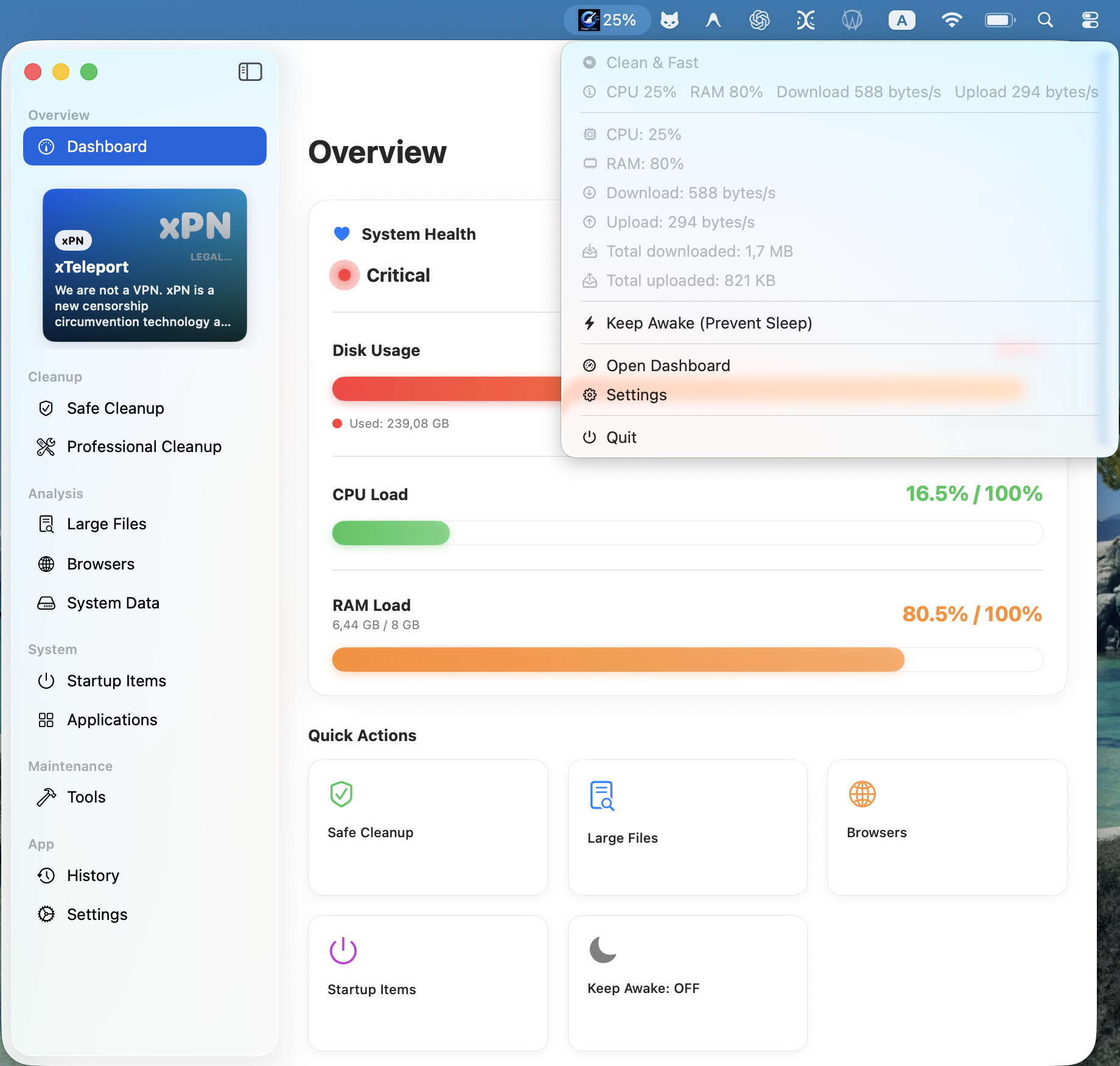
System Dashboard & Menu Bar Status Widget: Live system metrics at a glance: APFS disk gauge, real-time CPU and RAM pressure, and network traffic monitor (upload, download, total transfer, ecotraffic, and traffic reset). One-click quick actions ('Clean Caches', 'Quick Boost', 'Detailed Cleanup'). In the macOS menu bar, a live status widget provides instant metrics and a Keep Awake power assertion toggle.
Clean & Fast — Apps & Processes
Click to zoom
Resource & Network Control
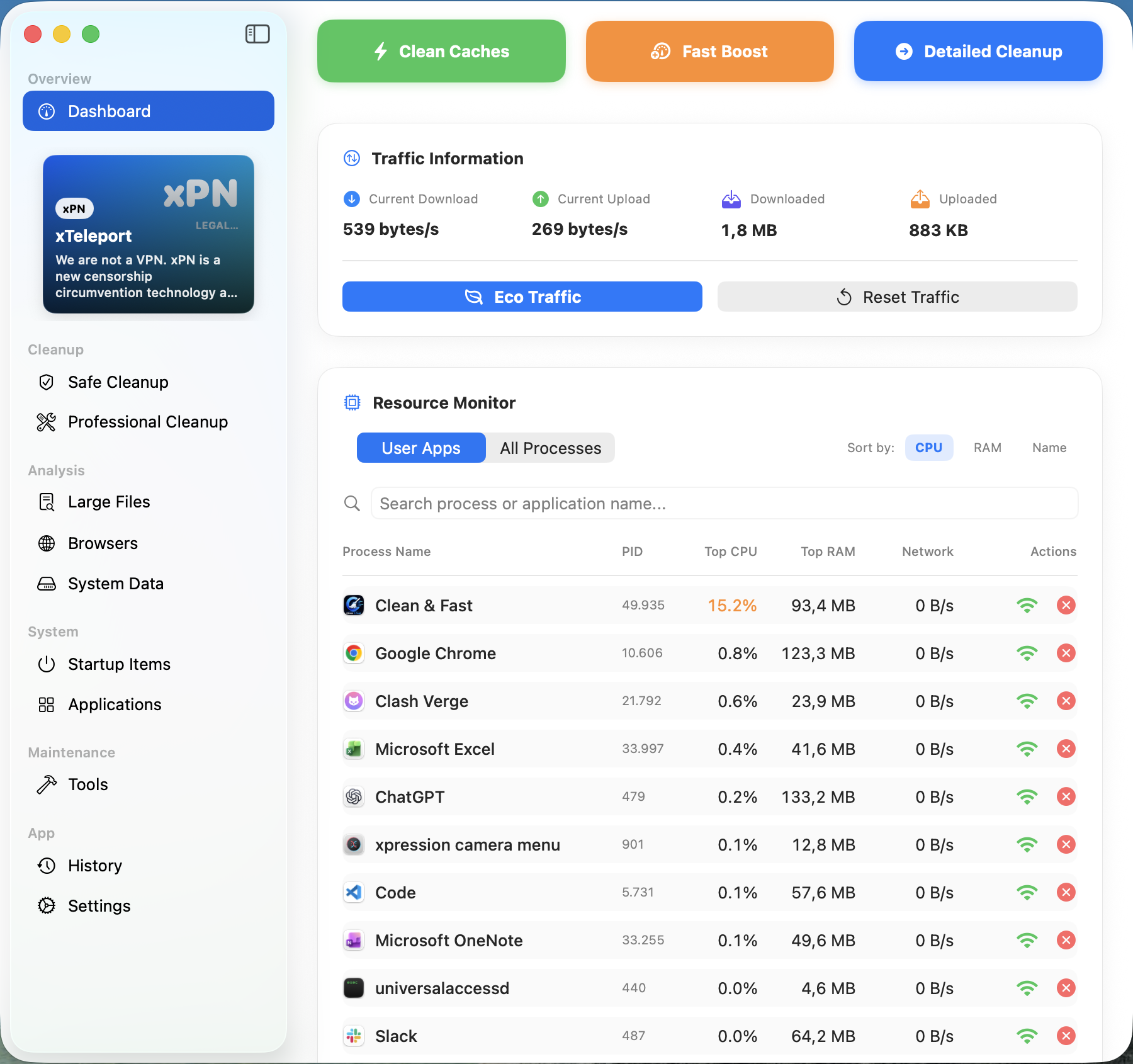
Background Applications & Process Monitor: In-depth audit of running and installed applications (Xcode, VS Code, Chrome, Slack, Office, Antigravity, etc.). Inspect exact disk footprint, memory consumption, and versions per app. Halt runaway network traffic, clear app cache, or safely quit, disable, and uninstall programs.
Clean & Fast — Pro Developer Clean
Click to zoom
For Engineers & Developers
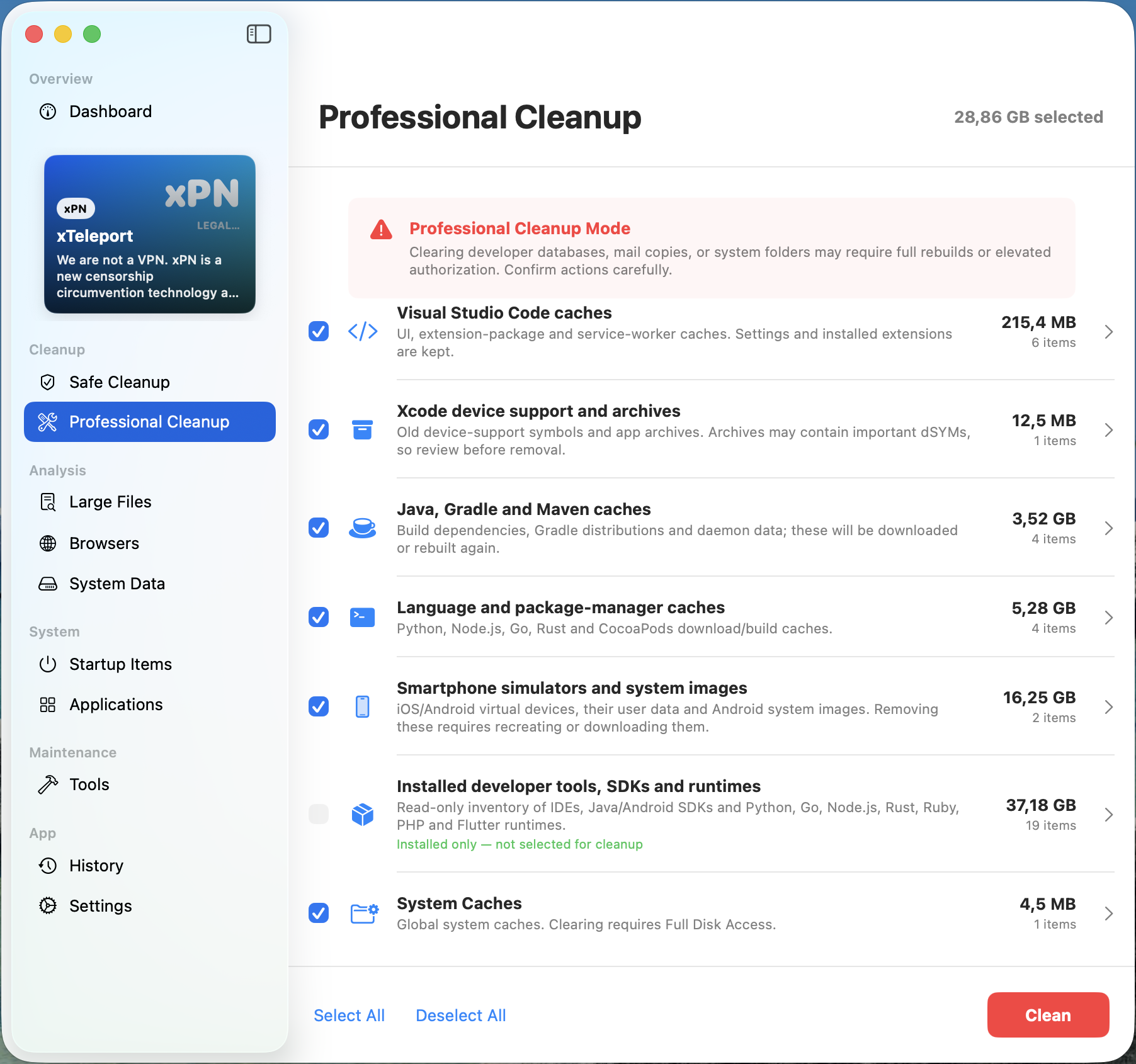
Professional Cleanup for SDKs, Runtimes & Emulators: Engineered specifically for software developers: automatically isolates build caches from Xcode (DerivedData, Swift packages), VS Code, Java/Gradle/Maven daemons, and package managers (Python, Node.js, Go, Rust, CocoaPods). Safely purge heavy mobile emulators and system images (iOS Simulators, Android Virtual Devices - 16+ GB) while maintaining a read-only inventory of installed SDKs.
Clean & Fast — Maintenance Tools
Click to zoom
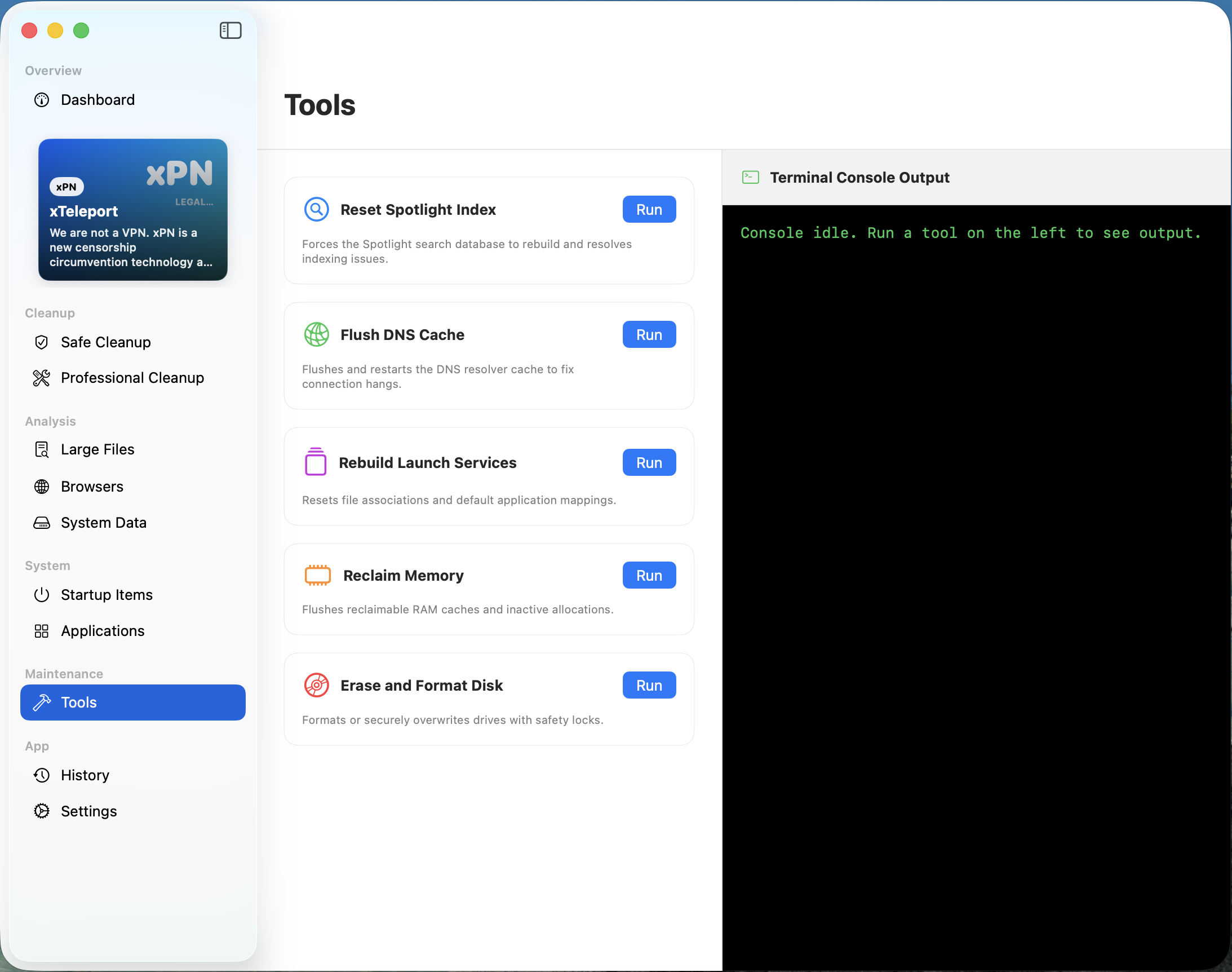
Spotlight, DNS & Terminal
System Repair Tools: Spotlight Index & DNS Cache Flush: One-click fixes for recurring macOS hangs: force-rebuild corrupted Spotlight Search indexes, flush and restart DNS cache to cure network resolution timeouts, rebuild Launch Services file associations, purge inactive RAM, and securely format or wipe disks with real-time terminal console logging.
Clean & Fast — History & Audit
Click to zoom
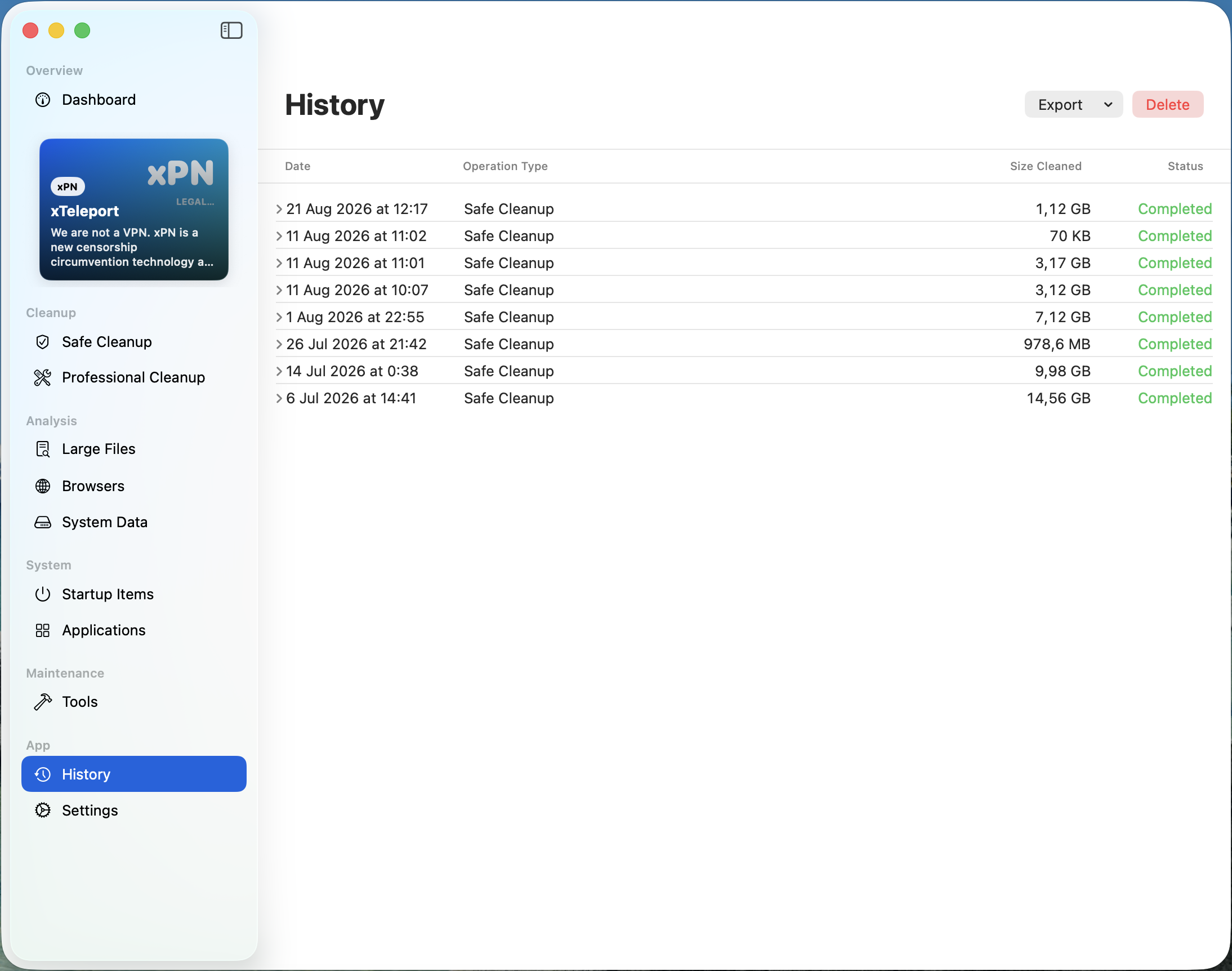
Storage Reclaim Log
Complete Cleanup History & Space Reclaim Log: Chronological audit trail of all past maintenance passes: date, exact timestamp, operation type (Safe Clean, Pro Clean), reclaimed disk space in GB/MB, and completion status. Easily export audit reports or manage logged history.
Release notes (version 1.3.4)
Version 1.3.4 - maintenance and professional optimization release.
Integrated 5-module suite: Dashboard with menu bar companion, Applications & Network Traffic Monitor, Pro Developer Cleanup (SDKs & Emulators), System Repair Tools (Spotlight & DNS), and Operation History Log.
Safe detection of hidden system files: language compilers, SDKs, and emulators.
System repair tools: force-rebuild corrupted Spotlight Index and flush DNS cache with interactive terminal console.
Apple Silicon Universal 2 binary and Windows 64-bit native builds.
Zero-Knowledge Local Architecture: traffic optimization, zero analytics SDKs, zero cloud tracking.
We value your privacy
cleanfast.app uses only essential cookies to remember your preferences (such as language and cookie choices). We do not use analytics, advertising or tracking cookies. You can accept all, reject non-essential, or customize your choice.